You forget most of an audiobook by next week.
Recall is a focused M4B audiobook player for iPhone — for the books you already own. Tap once to highlight the moment that matters, add a note in your own words, and turn it into a flashcard you'll actually remember. Everything stays on your device.

How it works
Listen. Highlight. Remember.
Three steps, and the third one is the whole point — a book you finished six months ago should still be in your head.
Listen
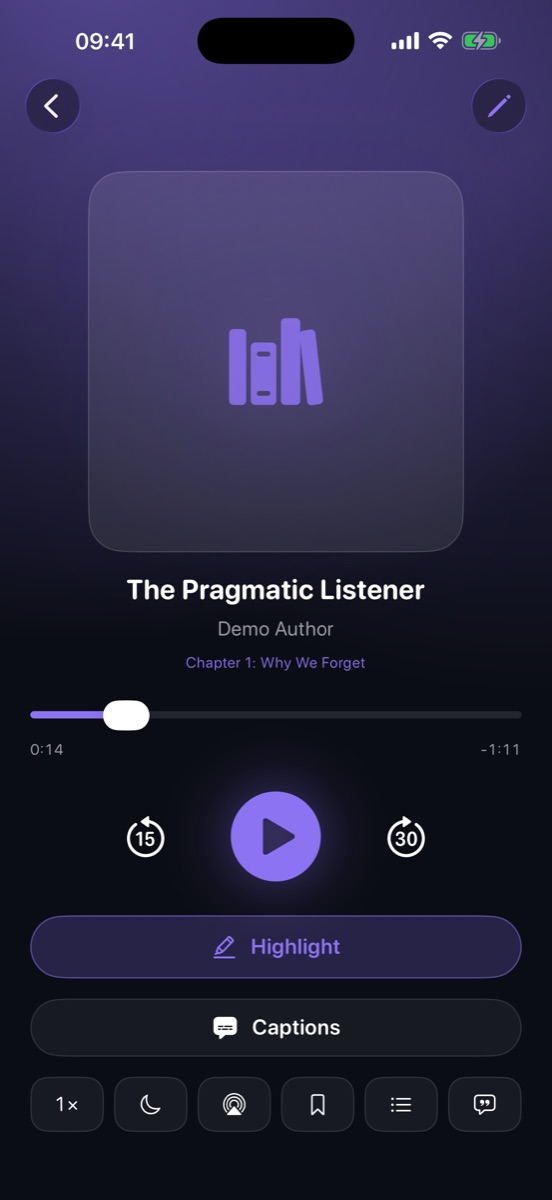
Import a DRM-free M4B from iCloud Drive or Files. Real chapters, 0.5–3× speed that sticks per book, sleep timer, lock-screen controls.
Highlight
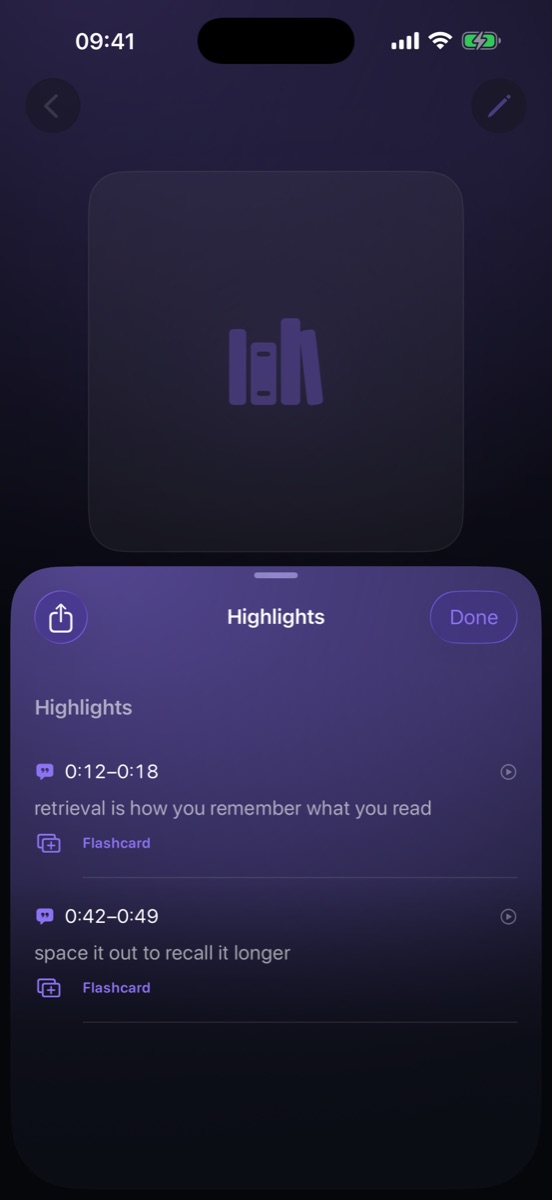
One tap in the player marks the moment — no fumbling, no pausing. Add a note, and every passage you kept lands in one screen.
Remember
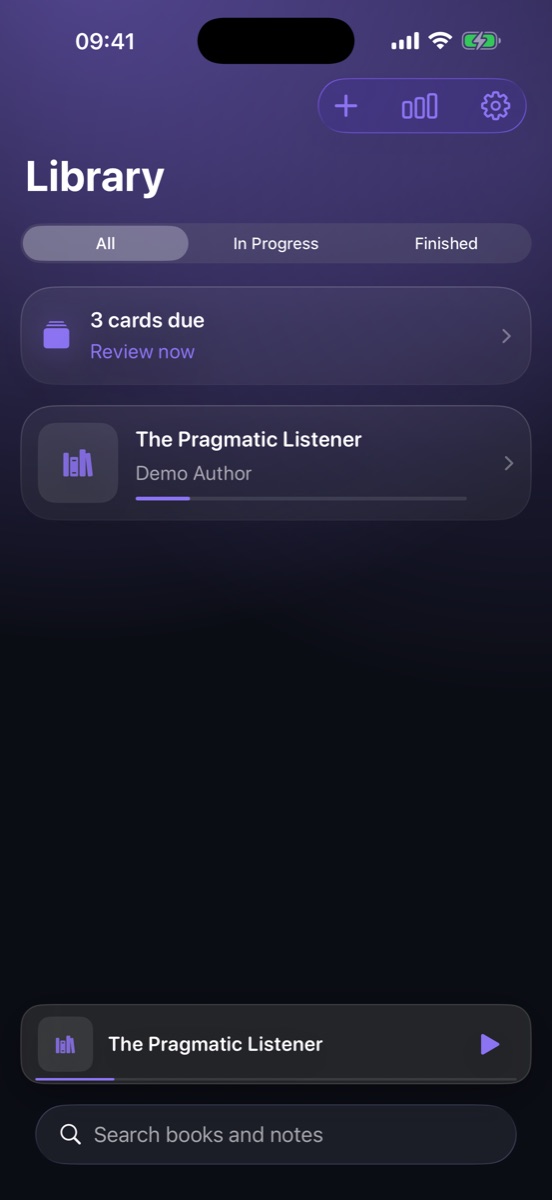
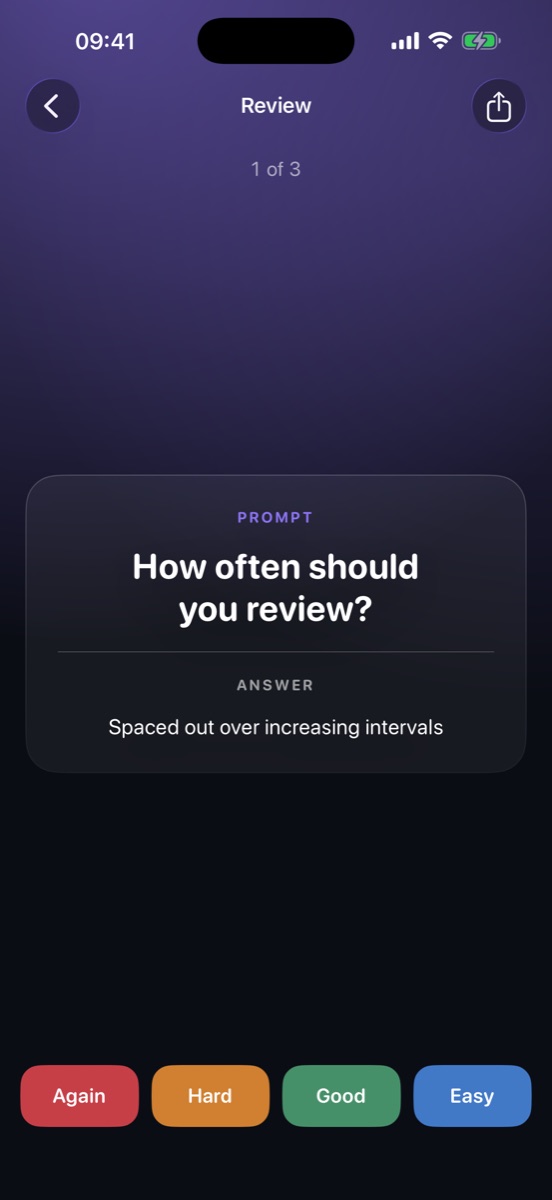
Turn any highlight into a flashcard. Recall schedules it with FSRS spaced repetition and tells you what's due — recall first, answer second.
Built for listeners who take it seriously
A real player underneath
The learning layer only matters if the playback is flawless. Recall handles nine-hour files, hundreds of chapters, and never loses your place.
Real chapter navigation
M4B chapters are read straight from the file. Jump anywhere, see exactly where you are.
Notes on any highlight
Your own words, pinned to the exact second you heard the idea.
FSRS spaced repetition
The modern scheduling algorithm — cards come back right before you'd forget them.
Streaks & stats
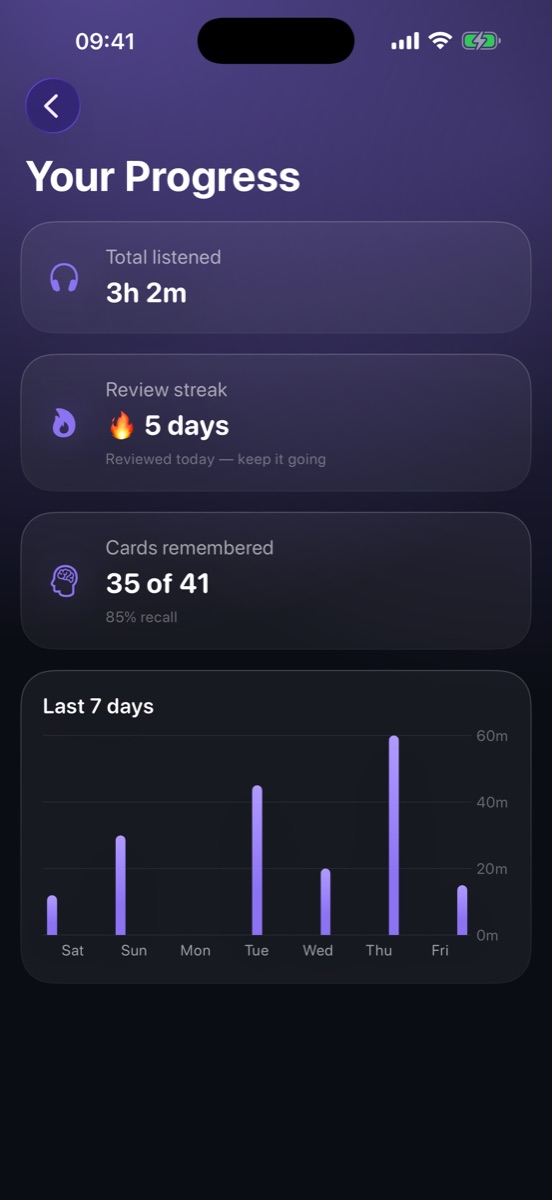
Minutes listened, review streak, recall percentage, and a seven-day chart.
On-device captions
Apple's speech recognition transcribes a chapter once on your iPhone, then reads along in sync. No API key, nothing uploaded.
Export to Anki & Markdown
Your highlights and cards are yours — pull them out as Anki CSV or plain Markdown any time.
Sleep timer that fades
Presets, end-of-chapter, or a custom slider — with a gentle fade-out instead of a hard stop.
0.5–3× without chipmunks
Pitch-preserved speed, remembered per book, plus smart rewind when you come back.
Search your whole library
Books, highlights, and notes — one search field finds the thing you half-remember.
The loop that makes it stick
Proof you're keeping it
Finishing a book is easy to measure and means almost nothing. Recall tracks the thing that actually predicts retention: how often you come back and get it right.
- A cards-due banner on the library screen, so review is one tap from where you already are.
- Recall-first grading — Again, Hard, Good, Easy. The card decides its own next date.
- Ten languages, Dynamic Type, VoiceOver labels and Reduce Motion support throughout.
Privacy
No accounts. No servers.
No tracking, no analytics, nothing uploaded.
Recall has no backend at all. Your audiobooks, highlights, notes and playback position live in the app's private storage on your iPhone — including the captions, which are generated by your own device. There is nowhere for your data to leak to, because it never leaves.
Recall is a player. It doesn't host, sell, stream or download audiobooks — you bring DRM-free files you already own.
FAQ
Questions, answered
Is it really free?
Yes. No subscription, no in-app purchases, no accounts, no trial that expires. Every feature is unlocked — unlimited audiobooks, unlimited highlights, unlimited notes and cards.
What audiobook files does Recall play?
DRM-free audiobook files you already own — M4B with embedded chapters and cover art, and standard audio formats such as MP3. Import them from iCloud Drive, On My iPhone, or anywhere the Files app can see, and Recall copies them in so they play offline. Your original file is untouched.
Where do I get DRM-free audiobooks?
Recall doesn't sell or stream anything — bring your own. That means DRM-free purchases, public-domain recordings from places like LibriVox, or files you made yourself. Audiobooks wrapped in store-specific DRM can't be played by any third-party app, Recall included.
Does it need an internet connection?
No. Playback, highlights, flashcards, review and captions all run on-device. Recall works fine in airplane mode.
How do captions work?
Recall uses Apple's on-device speech recognition to transcribe a chapter once, then keeps the text in sync with the audio as you listen — like read-along subtitles. The audio never leaves your iPhone, and once a chapter is transcribed it's saved, so it never has to run again.
Can I export my highlights?
Any time. Export a book's highlights and flashcards as an Anki-ready CSV or as plain Markdown, and take them wherever you keep your notes.
Start keeping what matters.
Bring the audiobook you're listening to right now.